UI/UX design, wireframes and interactive Figma prototypes
Designing the user experience of apps, SaaS interfaces and complex websites.
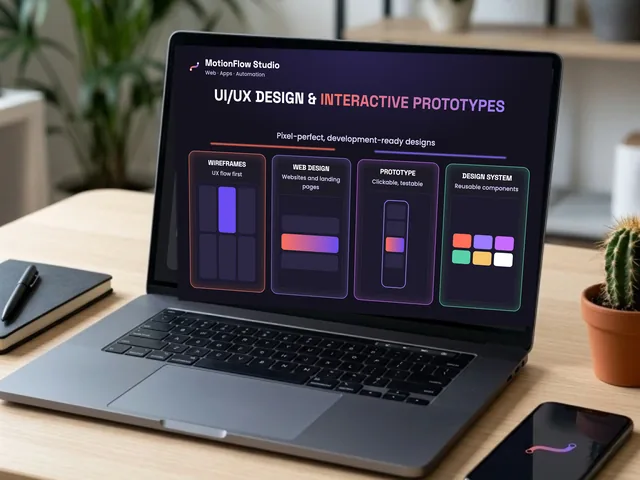
This service focuses on precisely designing the user experience (UX) and visual look (UI) of digital products — mobile apps, web software, SaaS interfaces and complex websites — before a single line of code is written.
Rewriting a badly thought-out feature in code costs weeks and thousands of dollars; redesigning and testing it in Figma takes hours. The aim of this service is to hand over a realistic interactive prototype that is clickable on mobile and desktop, can be presented to investors right away, can be tested directly on future users, and gives developers an exact technical basis for a flawless build.
Which areas and tasks does the service cover?
- User flows and information architecture
- Mapping the logical structure of the software or site, from registration to a successful action.
- Finding drop-off points and minimizing the number of steps to reach the most important features.
- Clickable logical flow charts to understand the whole system.
- Low-fidelity wireframes
- Structural sketches of the functional layout of the screens.
- Planning the best placement of buttons, fields, tables, lists and navigation panels without graphic elements, focused purely on ergonomics and clarity.
- Pixel-perfect UI design (mobile and desktop views)
- Designing modern, clean visual interfaces in dark and light mode.
- For mobile apps, native controls that follow the iOS (Human Interface Guidelines) and Android (Material Design) standards.
- For web software, responsive large-screen desktop layouts, tabular data rows and visual dashboards.
- Interactive, clickable Figma prototype
- Linking the designed screens with lifelike micro-interactions, animated transitions, pop-ups and working buttons.
- A realistic product experience on a smartphone or in the browser, so you can live through the finished app's behavior without any coding.
- An ideal tool for presentations, customer testing and raising funding.
- Design system and component library
- Building reusable UI components (buttons, input fields, cards, modal windows) and their states (hover, active, disabled).
- Fixing a consistent color palette, contrast ratios and typographic hierarchy.
- Developer handoff
- Precisely sized layers, color codes and spacing (Auto Layout), from which developers can read CSS, Swift or Kotlin styles directly.
- Organized export of vector icons and image assets (SVG, WebP) for immediate use.
The steps of the project
- Assessing goals and the feature list: We discuss the purpose of the digital product to be designed, the main user features and the visual style you want.
- UX logical outline and wireframes: I produce the structural layout of the screens, clarifying exactly how the features work and are arranged.
- Visual UI design: I develop the final, colorful, detailed interfaces in mobile and/or desktop resolution.
- Building the prototype: I link the screens with interactive connections so realistic usability can be tested.
- Finalization and handover: I hand over the organized Figma project file with a development-ready component library and exportable elements.
What does the handover include?
- The complete, editable Figma project file in a clear folder structure.
- A directly shareable interactive prototype link, clickable from a browser and from mobile.
- The custom design system used in the project (colors, typefaces, components).
- An exported package of icons and graphics for your future developers.
How we work and how it is priced
- Fixed project price: Based on the number of screens to design, the complexity of the interface and the device views you want (mobile only, desktop only, or both), we agree on a fixed amount in advance.
- Room for iteration: We fine-tune details together at both the sketch and the final design level, so the result is technically feasible and effective for the business.
Frequently asked questions
What is an interactive Figma prototype, and how can I view and try it?
A prototype is a clickable, realistic illustration of software or a website that behaves exactly like a finished app, but has no working code behind it yet. You get a simple link, and by opening it on your own smartphone or in your computer's browser you can click through the flows: the buttons work, the menus open, the pop-ups appear. That way you can experience the user experience in a tangible way before development begins.
Will I get material at the end of the project that my own programmer can use directly?
Yes, completely. I hand over the Figma file in so-called developer-friendly (Dev Handoff) mode, where your programmer can pull the exact sizes, distances, typefaces and color codes (CSS, Swift, Kotlin) with a single click, and download the icons and graphic elements directly (as SVG and WebP). I build the design on a grid system and components that follow modern programming principles, so the developer does not have to guess.
What is the difference between a wireframe and the final UI design?
A wireframe is the skeleton (structural plan) of the page or app: with no colors, images or logos, just plain grey boxes and text, it shows what goes where and how the logic works. It helps us concentrate on features and layout. Once the flows are right in the wireframe, only then do we dress it all in the final UI design: the brand colors, striking graphics, typography and fine visual details.
What do you need from me to start the design work?
To begin with, a list of the planned features of the software or website (what you want users to be able to do) and any existing brand material (a logo, colors, if you have them). If you have a hand-drawn sketch, a flow chart, or an existing app or website whose logic or style you like, it is worth sharing those as well. From the basic idea and the needs I can build the professional structure completely on my own.
What if I change my mind or want to make changes during the design?
That is a natural part of the design process. We take the project through in stages, in several iterations (feedback rounds): first we agree the wireframes, and only after they are accepted do we move on to the colored designs. That way you keep control of the direction at all times. The agreed fixed project price includes the necessary fine-tuning and corrections in the design phases, so you can be 100% satisfied with the result and need not fear unexpected extra costs.