 iOS · Productivity
Your iPhone, now a private document scanner
Point your camera at any paper document and it's instantly detected, perspective-corrected, and saved as a searchable PDF. Organize into folders, find anything with on-device OCR search, and share or print with one tap — without an account, and without a single byte ever leaving your phone.
No subscription, no account
Pay once, own it forever. There has never been a login system, and none is planned.
100% on-device
No server, no cloud sync, no data collection of any kind. Every document stays on your iPhone.
Apple-grade scan quality
Built on Apple's own VisionKit engine — the same technology behind Notes' built-in scanner.
A real office workflow
Folders, tags, favorites, search, page management, editing — not a one-shot "scan and share" toy.
Everything a real workflow needs
Not a one-shot "scan and share" toy — a proper office in your pocket.
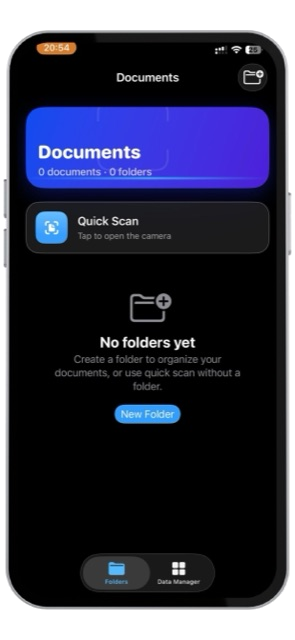
Organize into folders
Create, rename, and delete folders. Tag and favorite what matters.
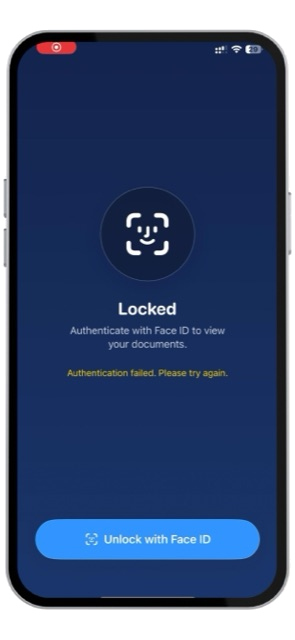
Face ID protected
Unlocks once per launch. Everything stays on-device.
Quick Scan, no folder needed
Scan straight from the home screen — organize into a folder later, or never.
Find anything instantly
On-device OCR indexes every page, so you can search by the words inside a document.
Edit with precision
Adjust Edges, reorder or delete pages, or rescan a document in one step.
Share, export & print
PDF, PNG, or JPG, a password-protected export, or direct AirPrint.
What Office Scanner deliberately doesn't do
- No account or sign-in of any kind.
- No cloud sync or backup beyond what iOS itself provides for any app.
- No data collection, no analytics, no tracking, no third-party SDKs.
- No in-app purchases in the initial release.
Get Office Scanner
Office Scanner is in Apple's review queue — scan the code or tap the badge to open its App Store page.


Questions before it launches?
Visit the support page for FAQs, or email us directly — we're happy to help.
Visit support